Overview
SheetXAI's Yahini integration creates a seamless content creation workflow by connecting directly to your Yahini account. Import your briefs and keywords into a spreadsheet, then use the SAI formula to transform them into polished content automatically.
Platform Availability: This feature works in both Google Sheets and Excel versions of SheetXAI.
How the Yahini Integration Works
The integration follows a simple two-step workflow:
-
Import: Pull your Yahini briefs, keywords, and project data directly into your spreadsheet
-
Create: Use the SAI formula to generate content based on your imported briefs
This eliminates the need to manually copy information between platforms and ensures your content creation process is efficient and organized.
Setting Up Your Yahini Connection
Initial Account Setup
Open SheetXAI
-
In Google Sheets: Go to Extensions → SheetXAI → Open Chat
-
In Excel: Click the SheetXAI tab, then Open SheetXAI
Check Your Account Status
-
In the SheetXAI chat, type:
"What's my account status in Yahini" -
This verifies your Yahini connection is active and working
Verify Project Access
-
Type:
"List all my Yahini projects" -
Review the list to ensure all your projects are accessible
Importing Your Yahini Data
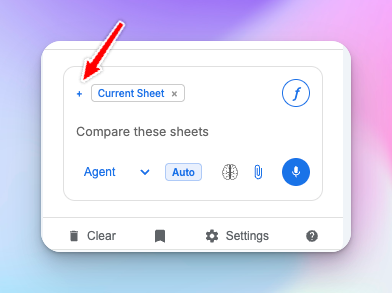
Important: Before importing data, click the + icon next to "current sheet" and select Yahini (if not already added).