Overview
The example in this walkthrough converts invoice amounts from several currencies to USD using the Frankfurter API. Currency conversion is only an example of the broader workflow: provide API documentation, ask SheetXAI to inspect the API schema, and request that the results be written into your spreadsheet.
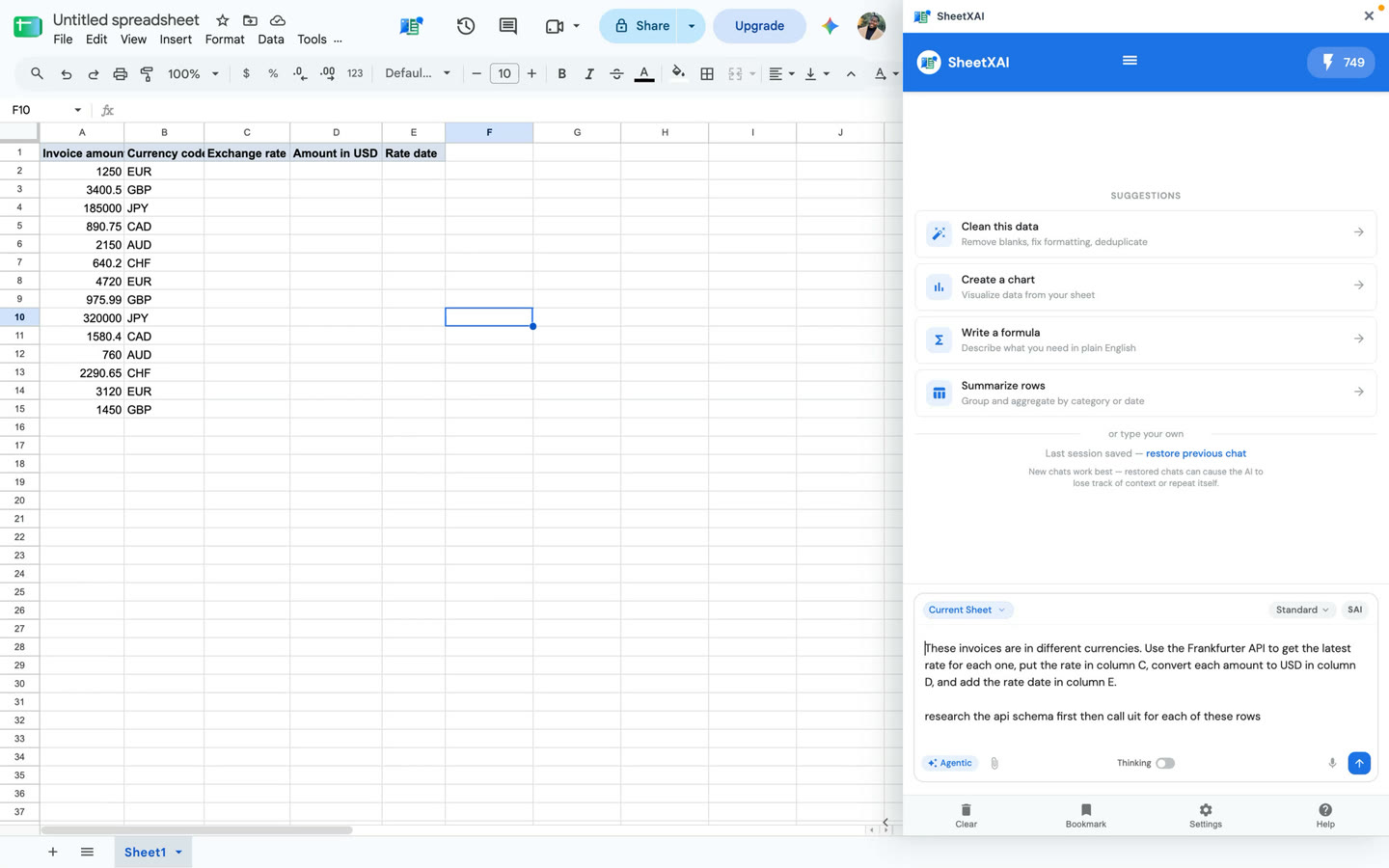
Prepare the sheet and API information
- Put the input data in clearly labeled columns. In the example, each row has an invoice amount and currency code.
- Find the API's official documentation and confirm the endpoint, required parameters, response fields, authentication requirements, limits, and terms.
- Identify which output columns should contain the returned value, calculated value, and any relevant date or source detail.
- Tell SheetXAI to inspect the schema first, then make the request for each input row.
In the recorded layout, column A contains the invoice amount, column B the currency code, and columns C, D, and E hold the rate, USD amount, and rate date. The prompt below follows the walkthrough; adjust the column references to match your own sheet:
These invoices are in different currencies. Use the Frankfurter API to get the latest rate for each one, put the rate in column C, convert each amount to USD in column D, and add the rate date in column E. Research the API schema first, then call it for each of these rows.
Check the direction of the rate
Do not assume that a rate should always be multiplied. Read the API's base currency and quote direction. In the recorded example, the returned rate is foreign-currency units per USD, so the foreign invoice amount is divided by that rate to obtain USD. If an API instead returns USD per unit of foreign currency, the conversion would use multiplication. Confirm the convention in the API response and test a known example before filling a large range.
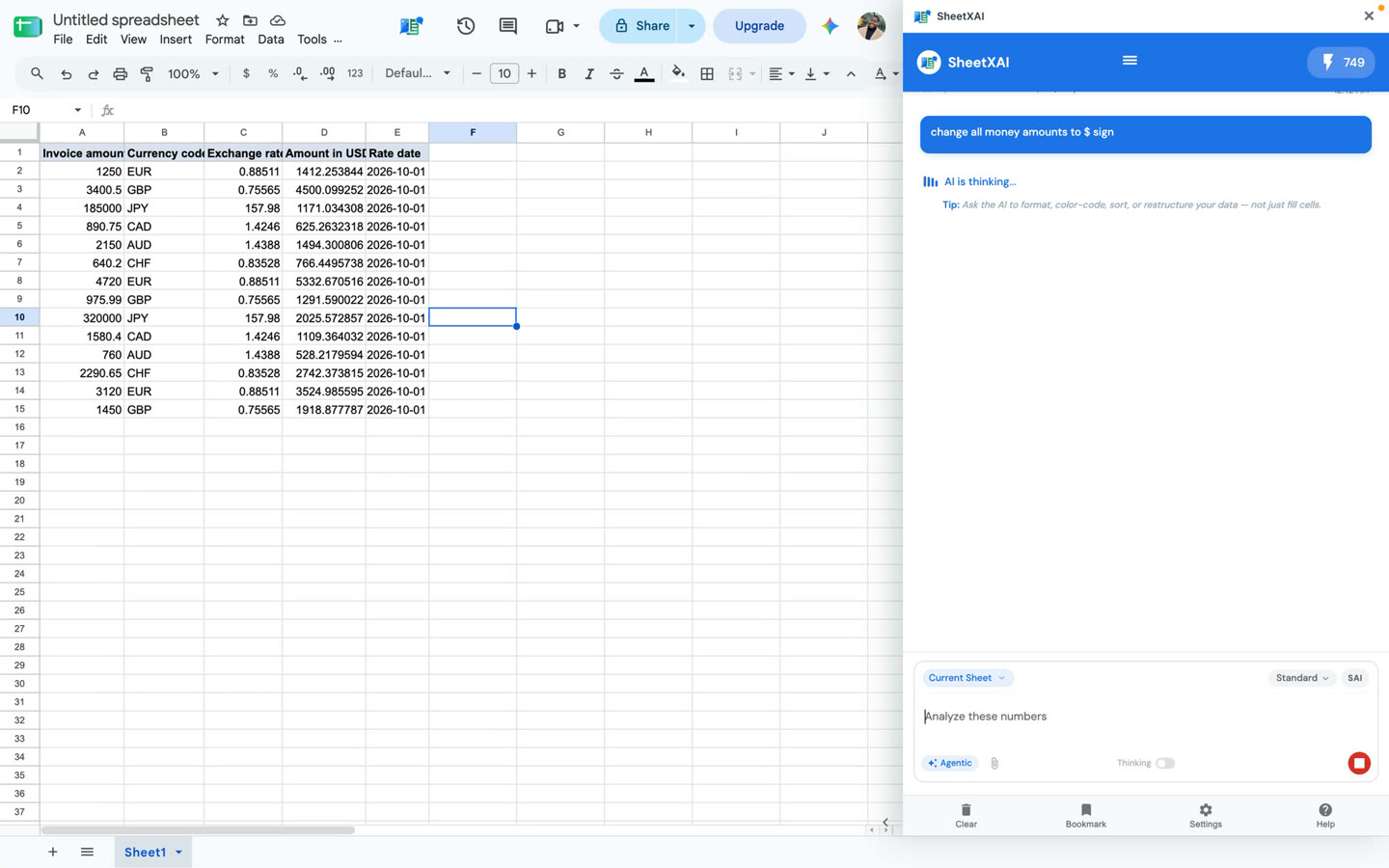
The screenshot shows a response dated October 1, 2026 from the recording. Those values are a historical demonstration, not live exchange rates. Run the request again when you need current values, and retain the returned date so the result is auditable.
Review before using the results
- Verify the API's response fields and base/quote currency for each request.
- Check that the output row still matches the correct input row.
- Compare one or more converted values with an independent calculation.
- Handle missing rates, unsupported currencies, API errors, rate limits, and authentication failures explicitly.
- Keep credentials out of prompts and cells unless the integration's documented credential flow requires them.
External API responses can change or be incomplete. Review the returned data before using it in invoices, reports, or other financial decisions.
For help choosing the active spreadsheet context before you run a prompt, see SheetXAI Interface Explained: What Every Button Does.