Overview
Use SheetXAI to research two related subjects for each lead: the company and its CEO or contact. This Replacing Clay episode shows the two research requests running independently, with a separate summary for each subject. Start with a few rows, review the output, and then continue with the rest of the list.
Prepare the sheet
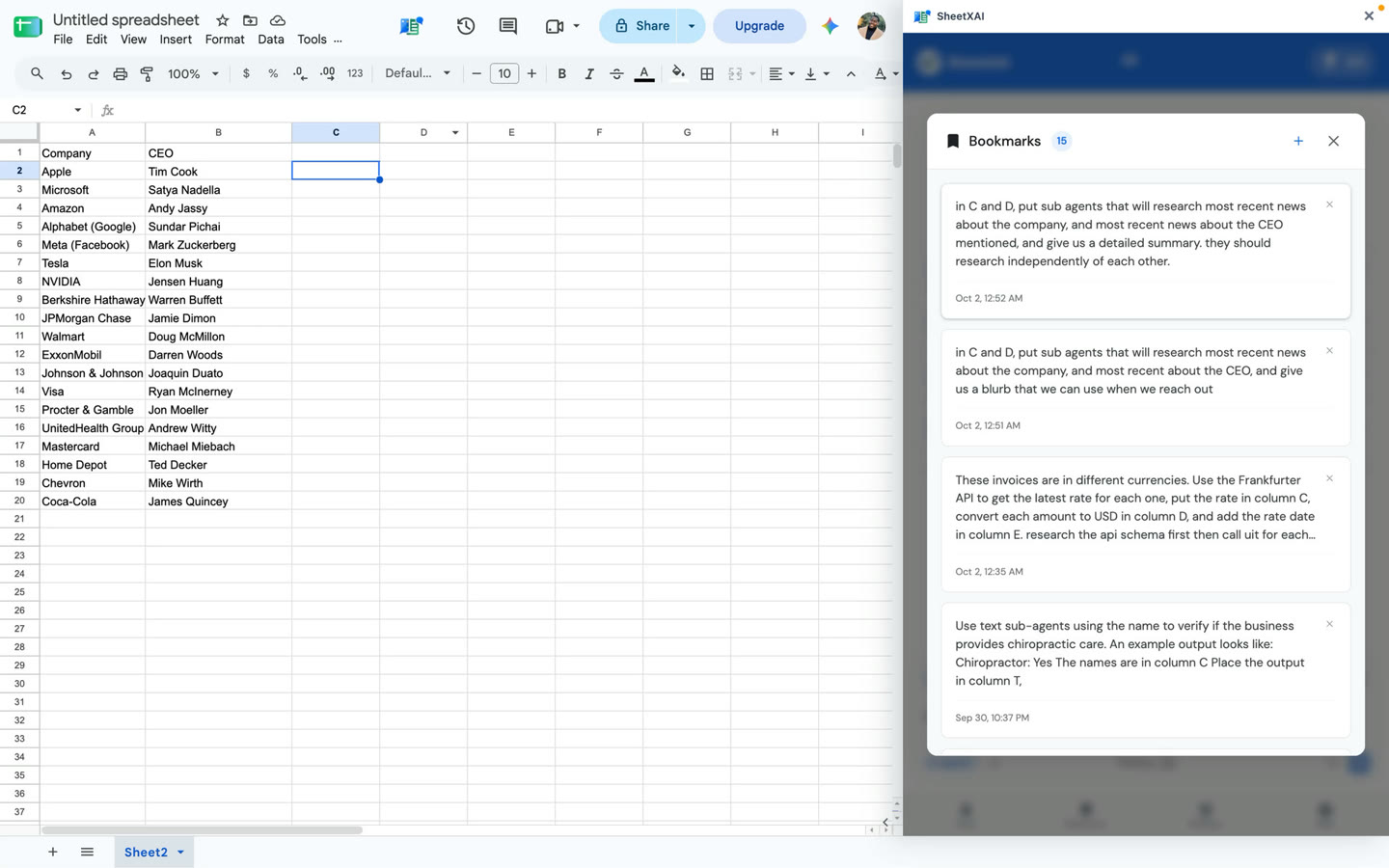
Use one lead per row and clear headers. The demonstrated layout is:
- Column A: Company
- Column B: CEO or contact name
- Column C: Company news summary
- Column D: CEO or contact news summary
Check that each person is paired with the right company. Add any identifiers your team needs to distinguish people with similar names, and leave the output columns ready for results.
Ask SheetXAI to research each row
The following is an adapted, copyable version of the transcript's prompt. It spells out the column mapping while keeping the demonstrated request:
Use subagents to research each row. Independently research the most recent news about the company in column A and the CEO or contact in column B. Put a detailed company-news summary in column C and a detailed person-news summary in column D.
- Open SheetXAI in the spreadsheet and select the rows you want to process.
- Submit the prompt and let SheetXAI prepare a preview of the first few rows.
- Check the sample summaries for row alignment, correct identity, useful dates, and source details where provided. Adjust the prompt or source data if needed.
- Once the preview is acceptable, ask SheetXAI to run the remaining rows. You can request a retry for specific rows that returned Not found.
- Review the completed summaries before using them in research notes or outreach.
Understand the results
Not found means the workflow did not find a result for that row. It does not mean that no news exists. You can retry those rows or investigate them separately, but do not replace a missing result with an invented summary.
Search coverage can be incomplete, and a summary may be stale, mismatched to a namesake, or unsupported by the source. Open the original source, confirm the publication date, and check that it supports the specific claim before relying on it. This workflow does not guarantee that the most recent news will be found or that every generated detail is accurate.
Troubleshooting
- A summary appears under the wrong lead: Check the selected range, headers, and the company-person pairing in each source row.
- A result says Not found: Retry that row or search independently. Keep it unresolved if no suitable result is available.
- The summary is too broad or lacks dates: Refine the request to ask for concise, dated points and source links where available, then review the revised output against original sources.
- A person may be a namesake: Add reliable identifying context to the row before retrying.
Replacing Clay series
Continue in order: