Overview
This Replacing Clay episode sends LinkedIn profile URLs to SheetXAI and asks it to write a summary in a neighboring column. In the recorded run, some URLs return summaries while others are marked Blocked. A blocked result means the page could not be accessed in that run. The workflow cannot guarantee access to every URL or validate the identity and accuracy of a generated biography.
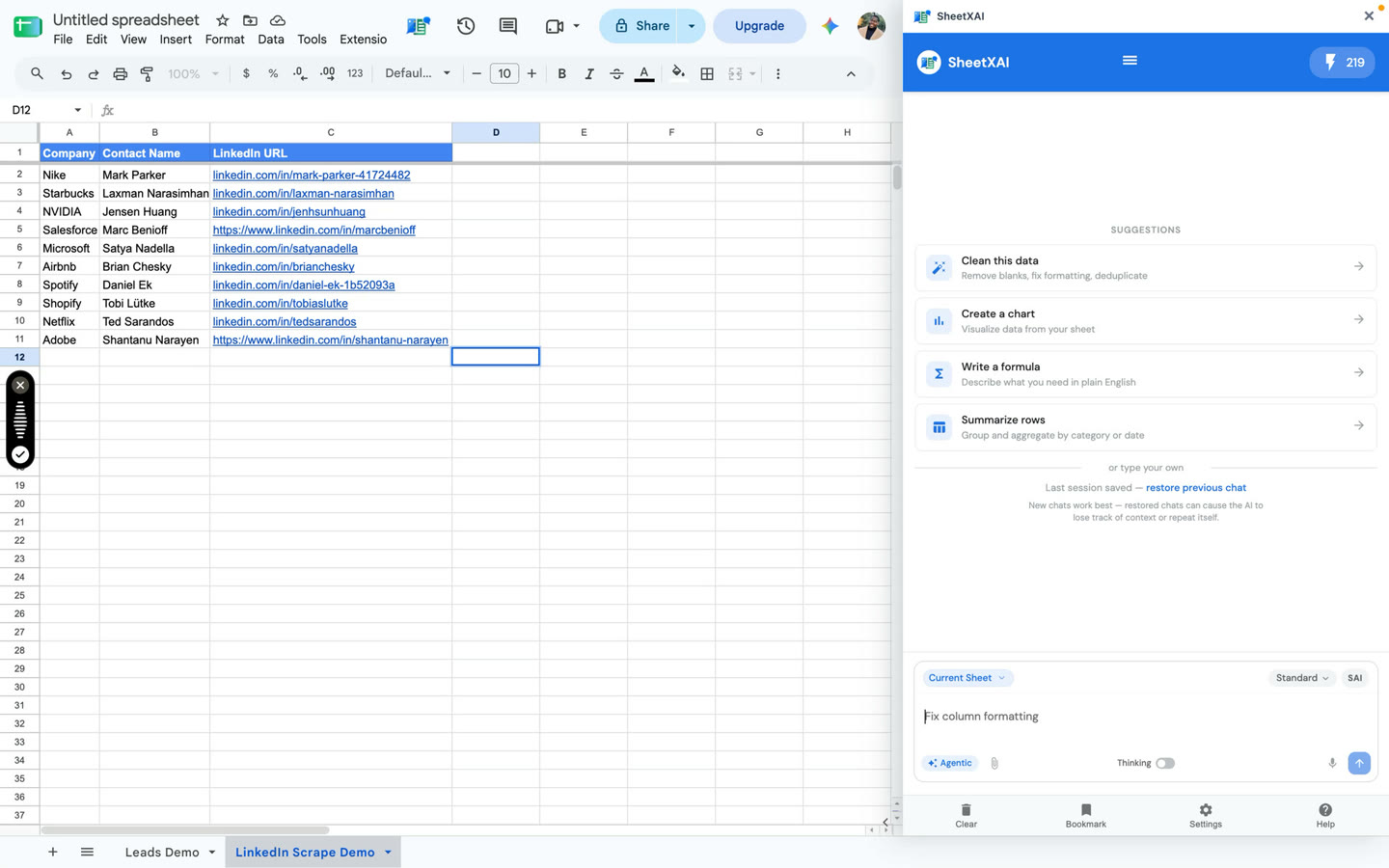
Set up the URL and summary columns
The demonstrated sheet uses:
- Column A: Company
- Column B: Contact name
- Column C: LinkedIn URL
- Column D: LinkedIn Summary
Use one profile URL per row and check that each URL belongs to the named contact. Leave the summary column empty. Use URLs and content you are allowed to process, and follow the terms and policies that apply to the site and your use case.
Request profile summaries
The prompt below is adapted from the transcript, which asks subagents to read the LinkedIn URLs and put summaries in column D:
Use subagents to process the LinkedIn URLs row by row. For each row, read only the LinkedIn URL in column C and write a concise summary of the profile in column D. If the page cannot be accessed or does not provide enough information, say Blocked or Not available instead of guessing.
- Open SheetXAI and select the rows with profile URLs.
- Submit the prompt and check that the summaries are written to the intended output column.
- Check that each summary is aligned with its row and stays within what the accessible page supports.
- For a larger list, start with a few rows, review the output, and continue with the remaining rows once the prompt and results look appropriate.
- Verify useful claims against a page you can access or another reliable source before using them.
Handle blocked and uncertain results
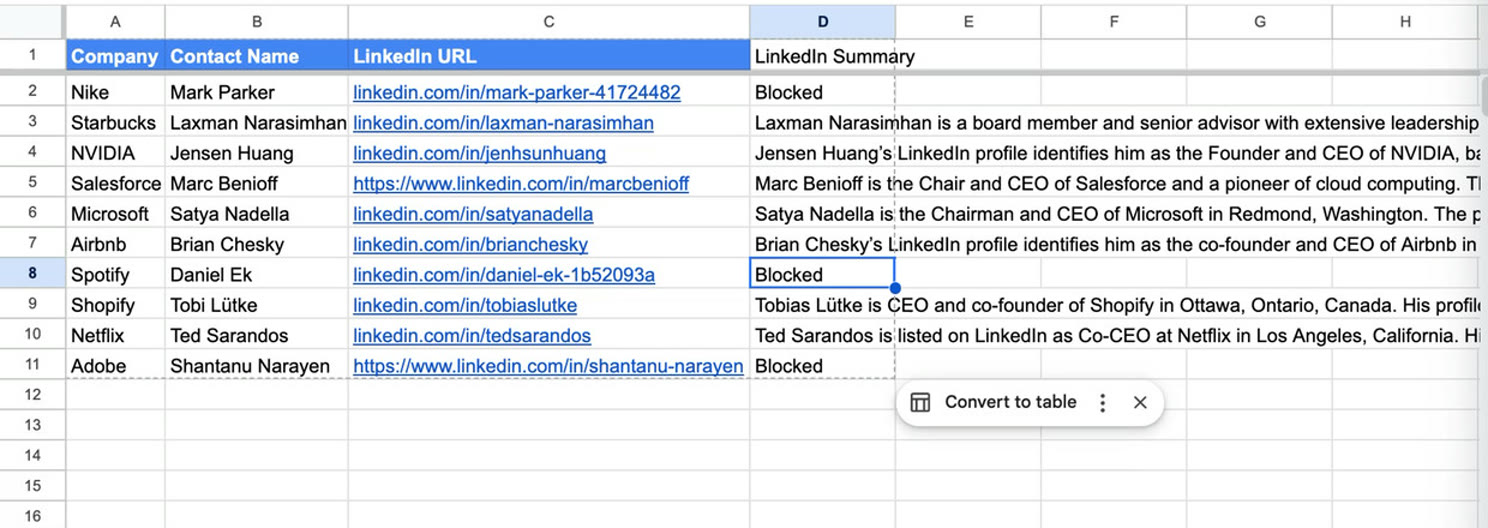
The screenshot reflects outputs from the recorded demo, not a guarantee about what a current run will return. Blocked means the page was not accessible in that run. Do not infer profile details from it. A generated summary can also be incomplete or mistaken even when text is returned. This workflow does not promise to scrape every LinkedIn URL, confirm that the biography belongs to the named person, or independently verify profile details.
If access fails, check that the URL is valid and try a source you are authorized to access. If the page is still unavailable, leave the row marked as blocked or unavailable and review it manually. Do not treat a plausible summary as validation.
Troubleshooting
- The result is Blocked: The page could not be accessed in that run. Check the URL and access, then retry only if appropriate.
- The wrong person appears: Confirm the URL and the company/contact pairing; compare with a reliable profile source.
- The summary includes unsupported claims: Remove them or verify each detail independently, then revise the prompt to request only information present on the page.
- The result is empty or vague: Confirm the output column and selected rows, and retry only where you can access the source.
Replacing Clay series
Continue in order: